
Your account settings live under Account in the sidebar. Your password lives on the Soniq Studio sign-in page.
Find your account settings
- Select Account in the sidebar.
- Choose a page from the list on the right: Profile, Integrations, Billing, Payments, Calendars, Notifications or Privacy. Founding members with early features turned on also see AI.
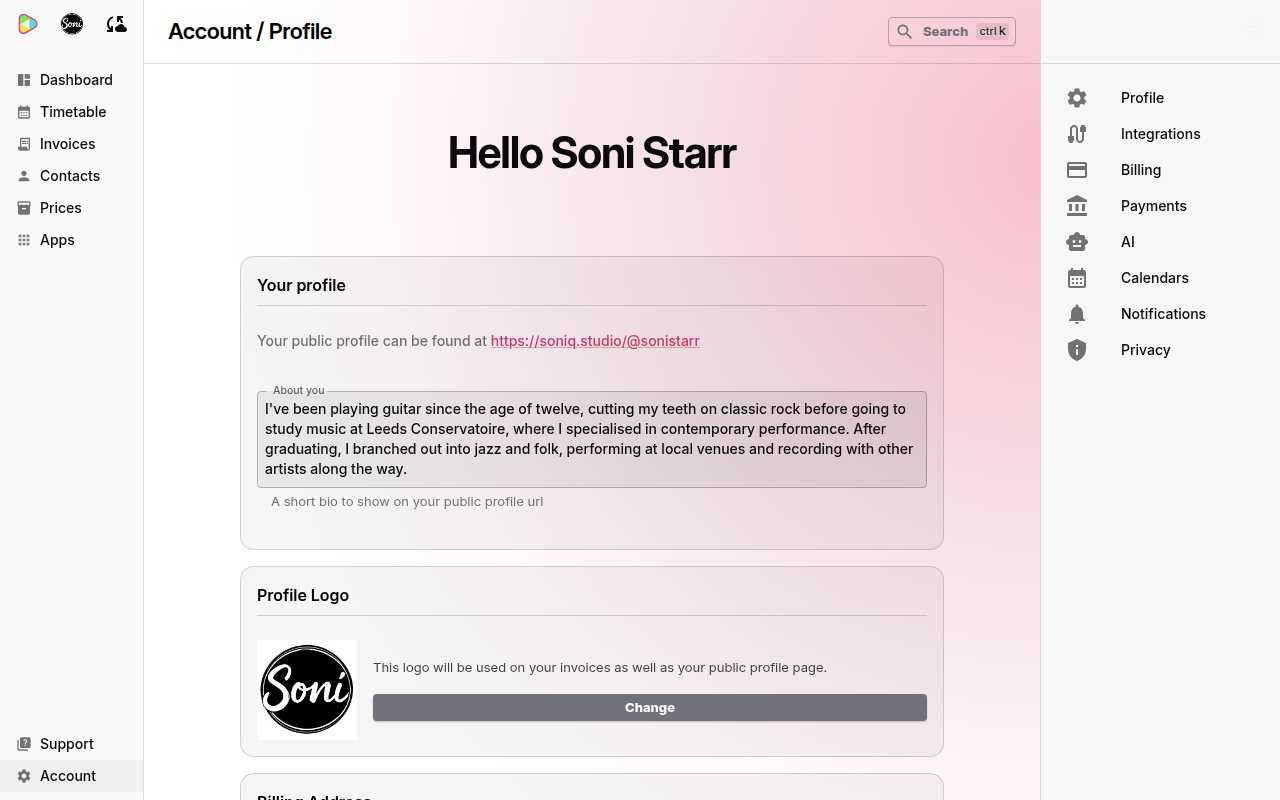
The Profile page holds:
- Your profile: the link to your public profile and the About you text.
- Profile Logo: the logo on your invoices and your public profile.
- Billing Address: the name and address at the top of your invoices.
To change your billing name and address, see How to add tax details to your invoices. To change what your public profile shows, see Public profile and visibility settings.
Reset your password
You reset your password from the sign-in page. Soniq Studio does not have a password setting inside the app.
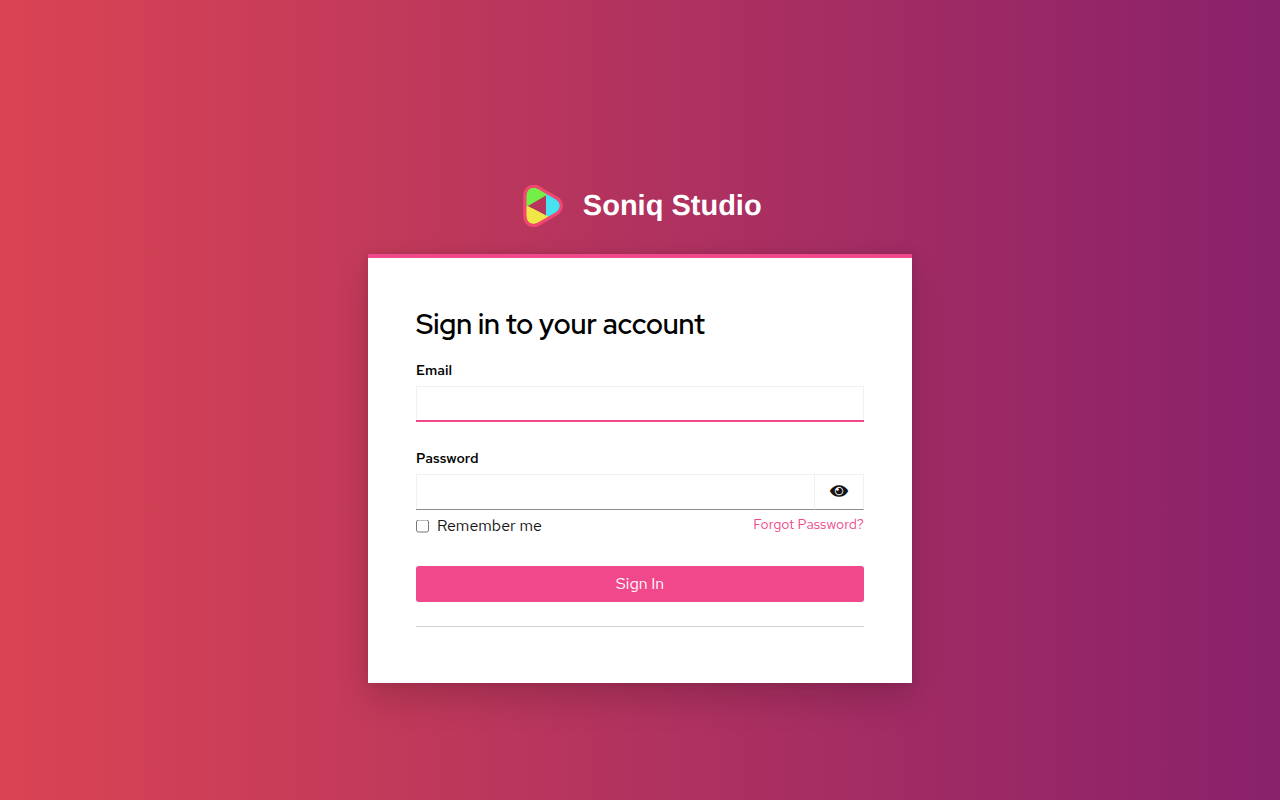
- Go to the Soniq Studio sign-in page.
- Select Forgot Password?.
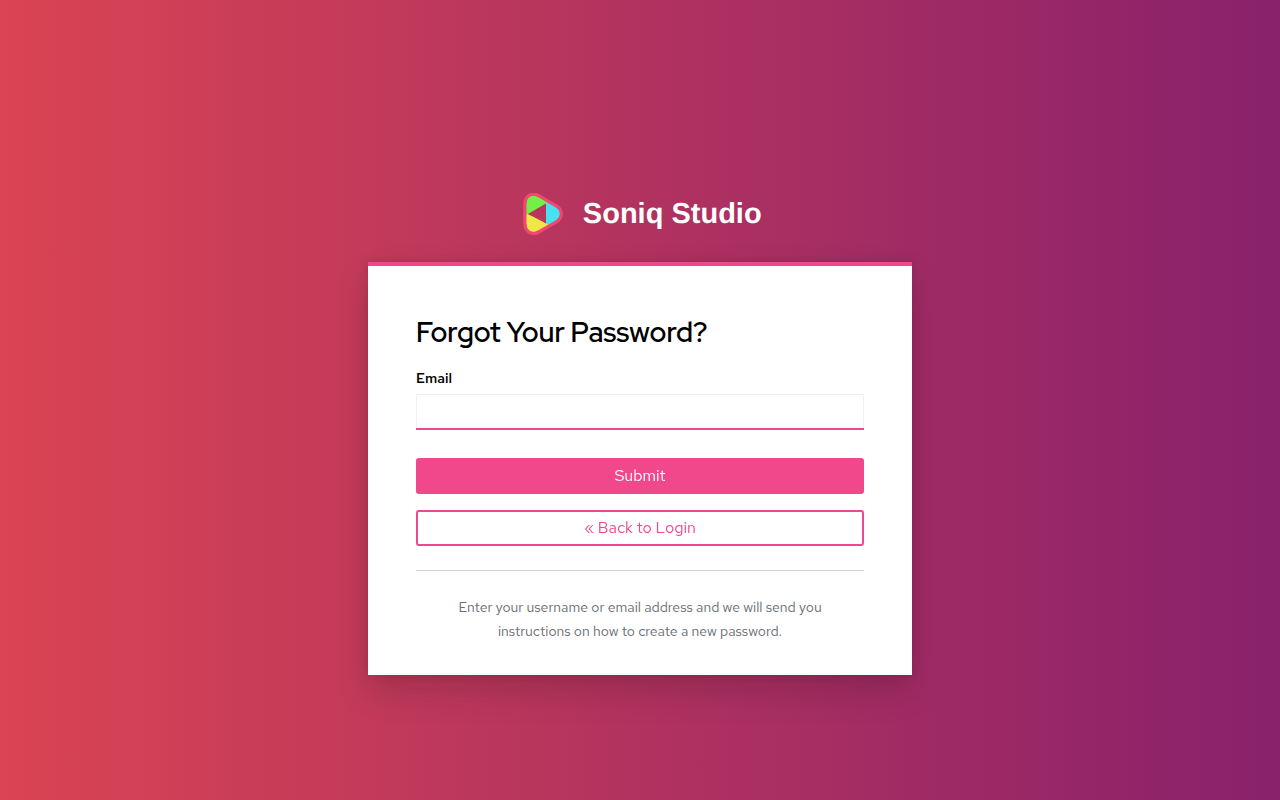
- Enter the email address you sign in with.
- Select Submit. The page shows “You should receive an email shortly with further instructions.”
- Open the Reset password email from Soniq Studio.
- Select the link in the email within 5 minutes. After 5 minutes the link stops working. Start again at step 1 to get a new link.
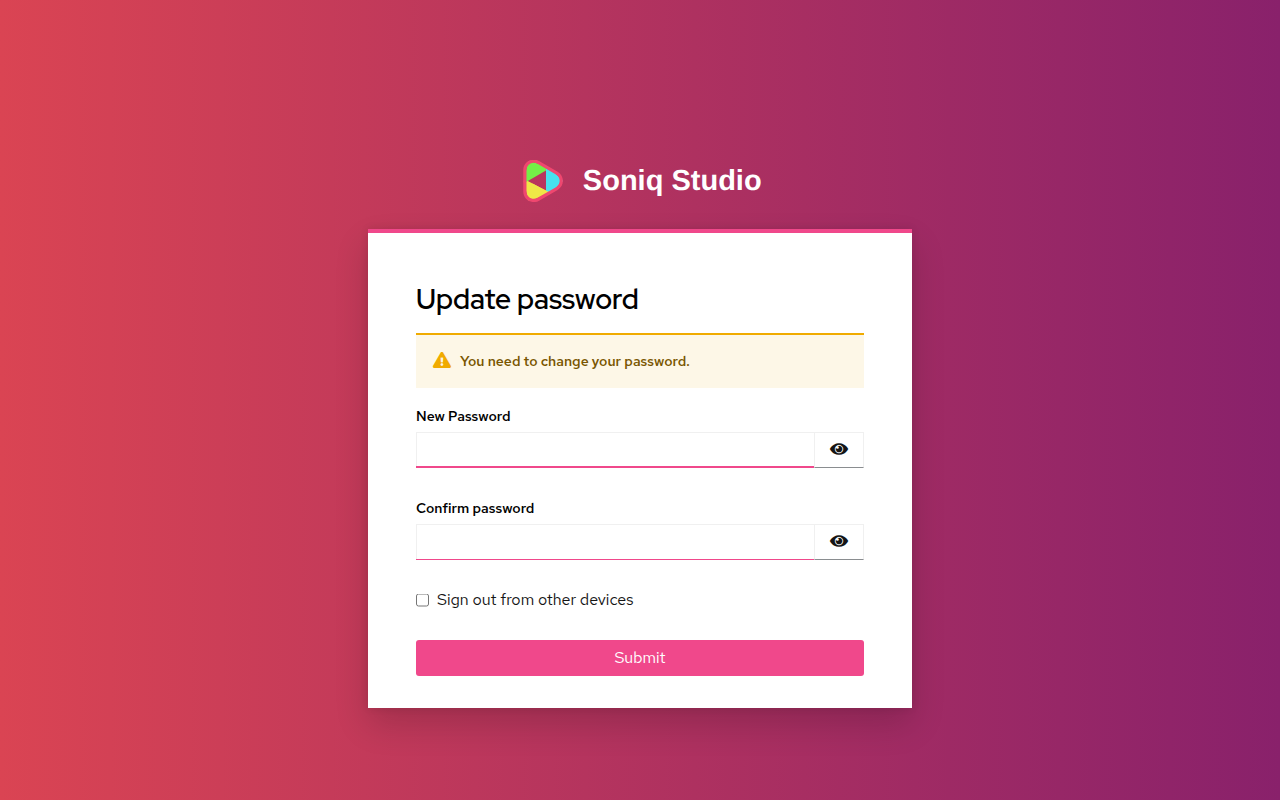
- Enter your new password in New Password and Confirm password.
- To sign out on every other device, tick Sign out from other devices.
- Select Submit. Soniq Studio signs you in.
If the email does not arrive, check your spam folder. The email comes from support@soniq.studio.
Stay signed in
Tick Remember me on the sign-in page to stay signed in for longer on this device. Do not tick it on a shared computer.
Sign out
- Select your picture or initials at the top of the sidebar.
- Select Sign out.
If some changes have not reached your account yet, the dialog shows Some changes are not saved yet. Choose one:
- Stay signed in: keep working and sign out later.
- Try again: try to save the changes again.
- Download my data: save a file of the unsaved changes to this device.
- Sign out anyway: sign out and lose the unsaved changes.
Change your email address or name
You cannot change the email address you sign in with inside Soniq Studio. Email support@soniq.studio from your current address and tell us the new one.
The name on your invoices is your billing name. You can change it yourself on the Profile page, under Billing Address.
Close your account
To close your account, email support@soniq.studio. To stop paying for Professional without closing your account, see How to change your subscription plan.